Understanding Network Devices: From Internet to Your Code

Hello cohort! ☕
As web developers, we often focus on code, APIs, databases, and cloud services. But every request your backend handles travels through real hardware devices. Understanding these devices helps you debug connectivity issues, design scalable systems, optimize performance, and speak fluently in system design interviews or DevOps discussions.
Let’s start with the big picture: how the internet reaches your home/office or a production server.
In a typical setup:
Internet → Modem → Router → Switch/Firewall → Your devices / Servers
We’ll break down each key device, using simple analogies, then see how they fit together.

(These show a classic home/office flow: Internet → Modem → Router → Switch → Devices)
1. Modem – The Gateway to the Internet
Modem (Modulator-Demodulator) converts digital signals from your network to analog signals your ISP uses (cable, DSL, fiber).
Responsibility: Bridges your local network to the ISP's wide-area network (WAN).
Analogy: The translator at an international airport — converts your language (digital) to the airline's (analog/fiber).
Key fact: Modem gets a public IP from ISP. Without it, no internet.
In production: Cloud providers handle this; you connect via virtual private gateways.
2. Router – The Traffic Director
Router connects different networks and decides where packets go.
Responsibility: Routes traffic between WAN (internet) and LAN (your local network). Assigns private IPs (NAT), handles port forwarding, Wi-Fi (many routers combine modem + router + switch + AP).
Analogy: Traffic police at a junction — reads destination addresses and sends packets the right way.
Key difference from modem: Modem connects to ISP; router manages internal traffic and NAT (hides private IPs).
In web dev: Routers handle NAT — your local dev server might need port forwarding to be accessible externally.
3. Switch vs Hub – How Local Networks Really Work
Both connect devices in a LAN, but very differently.
Hub (obsolete): Dumb device. Broadcasts every packet to all ports → collisions, slow, insecure. Analogy: Shouting a message in a crowded room — everyone hears, wastes bandwidth.
Switch (modern standard): Smart. Learns MAC addresses, sends packets only to the intended device (unicast). Analogy: Smart post office delivering mail only to the right address.
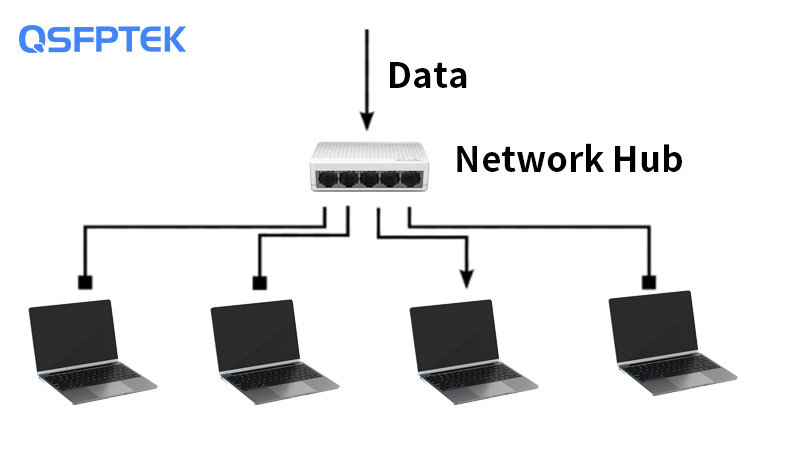
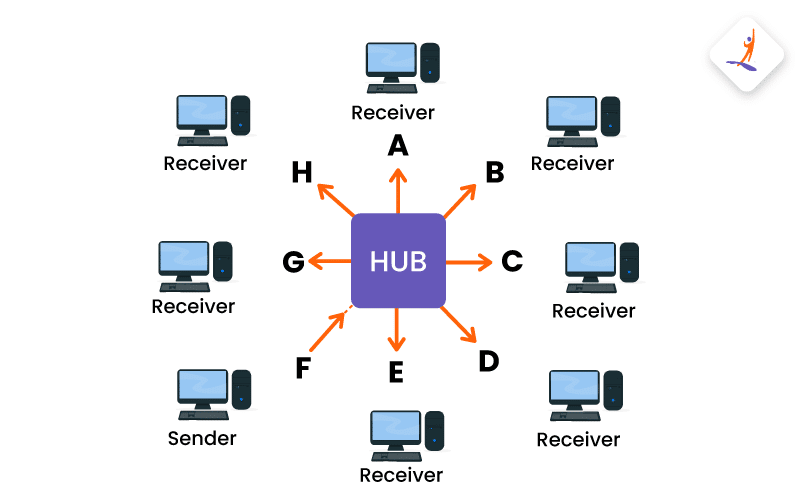
(Left: Hub broadcasts to everyone → congestion. Right: Switch sends only to target → efficient)
In production: Data centers use high-speed switches to connect thousands of servers.
4. Firewall – Where Security Lives
Firewall inspects and filters traffic based on rules.
Responsibility: Blocks unauthorized access, allows approved traffic (stateful inspection tracks connections).
Analogy: Security gate at a building — checks ID, purpose, only lets approved people in/out.
Placement: Usually between router and internal network (or in cloud: security groups, NACLs).

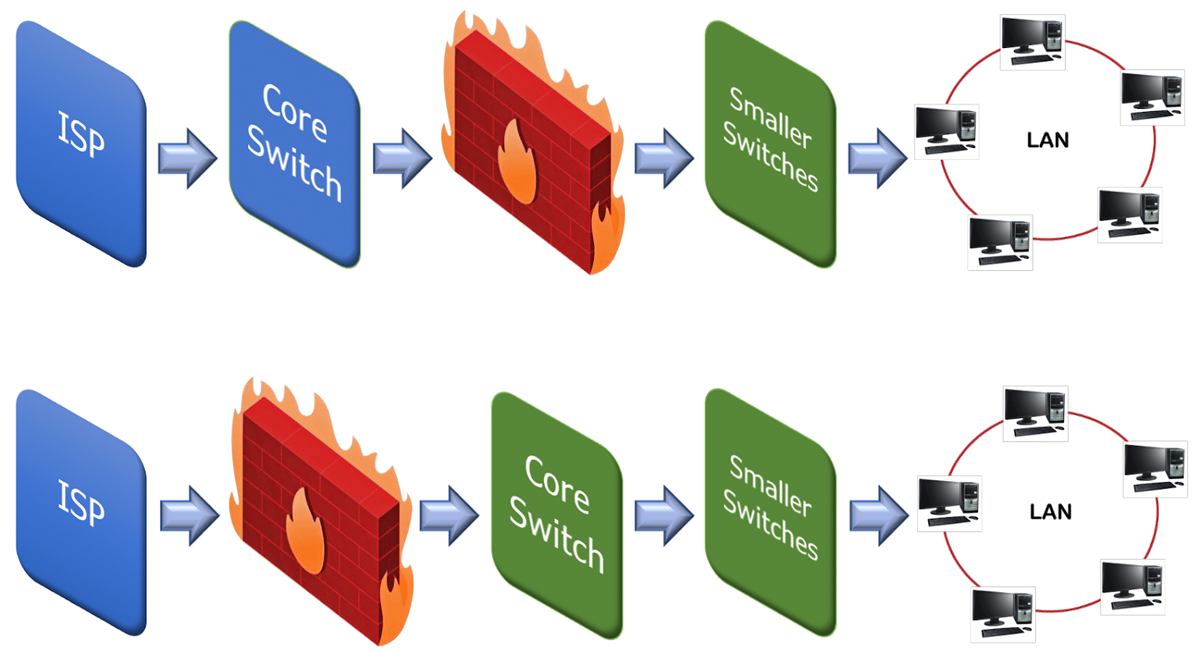
(Firewall sits at the edge, protecting internal LAN/servers from internet threats)
In backend: Firewalls enforce rules like "only allow port 443 inbound" — critical for production security.
5. Load Balancer – For Scalable Systems
Load Balancer distributes incoming traffic across multiple servers.
Responsibility: Prevents any single server from overload, improves availability (if one fails, others handle load).
Analogy: Toll booth with multiple lanes — directs cars evenly so no lane gets jammed.
Types: Hardware (F5), software (NGINX, HAProxy), cloud (AWS ALB/ELB, GCP Load Balancer).
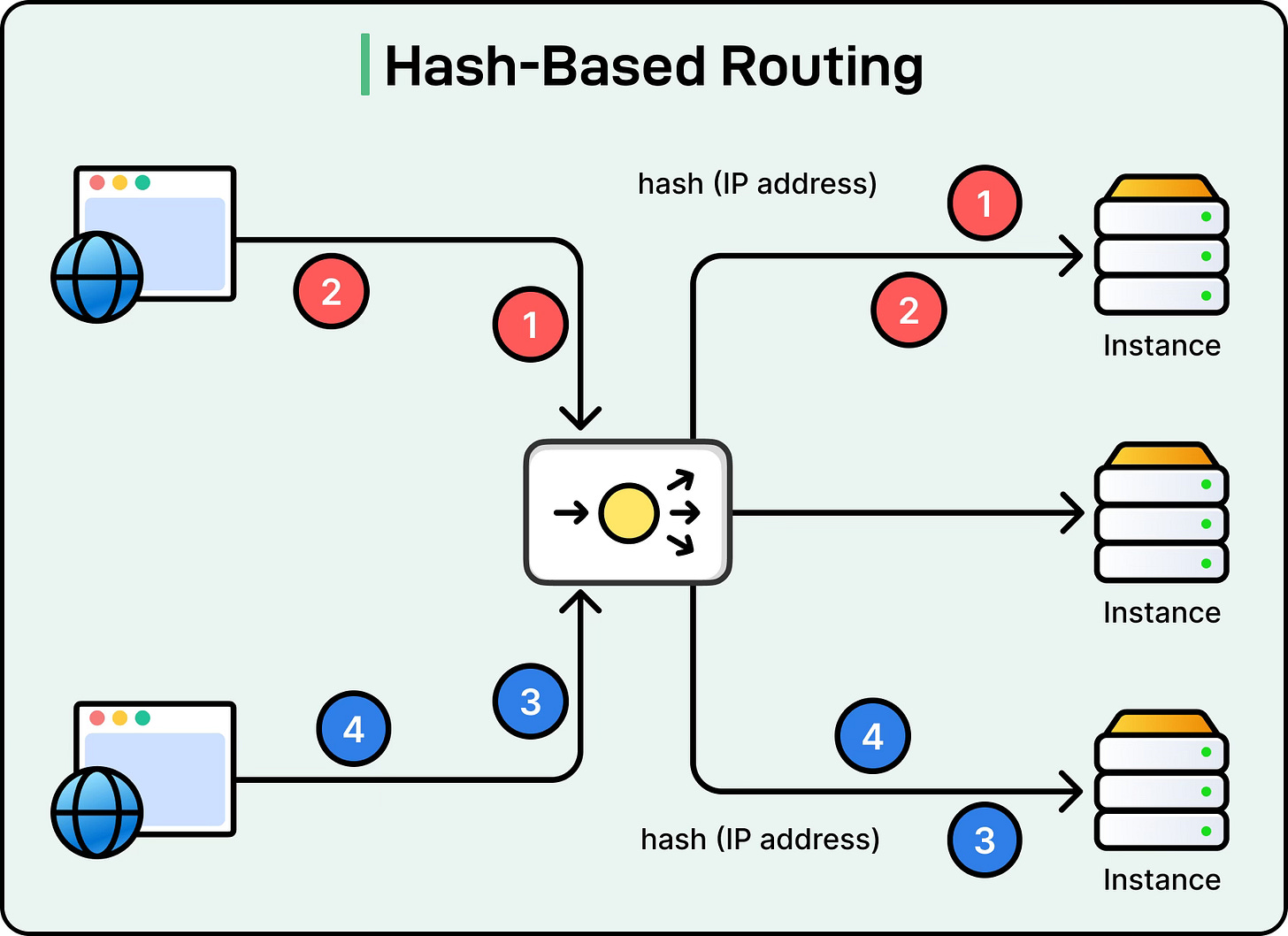
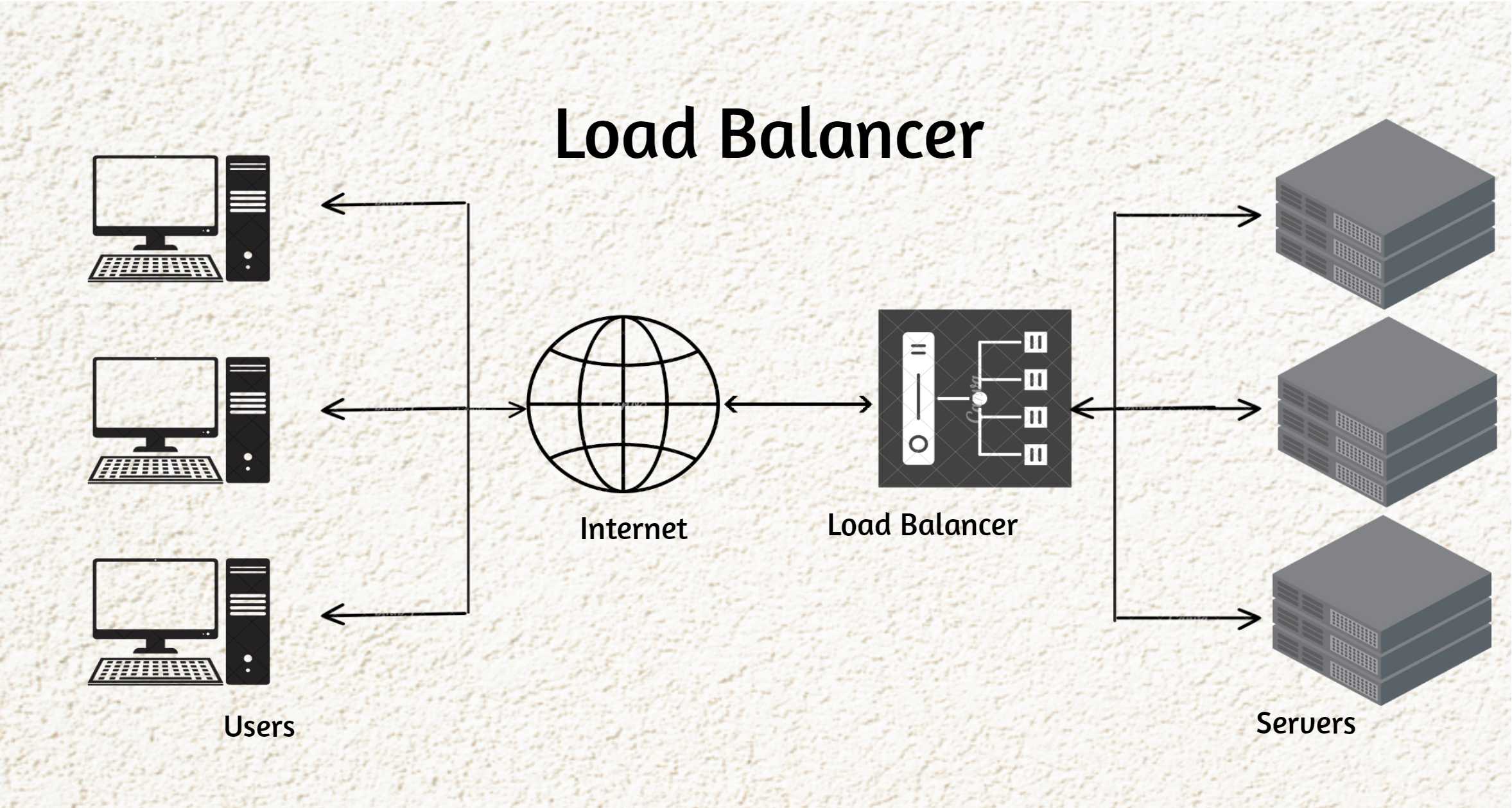
(Load balancer spreads requests across backend servers — essential for high-traffic apps)
In web dev: Almost every production app uses a load balancer (even single-instance setups via auto-scaling).
6. How All These Devices Work Together (Real-World Setup)
Home/office example:
ISP signal → Modem (public IP)
Modem → Router (NAT, Wi-Fi, DHCP private IPs)
Router → Switch (connects wired devices)
Router/Switch → Firewall (if separate)
Devices (laptops, phones) talk locally via switch/router
Production web app example:
User browser → Internet → DNS → Load Balancer (distributes to servers)
Load Balancer → Firewall/Security Group → Web/App servers
Servers may connect to database via internal switch-like fabric
Edge CDNs/load balancers handle global traffic
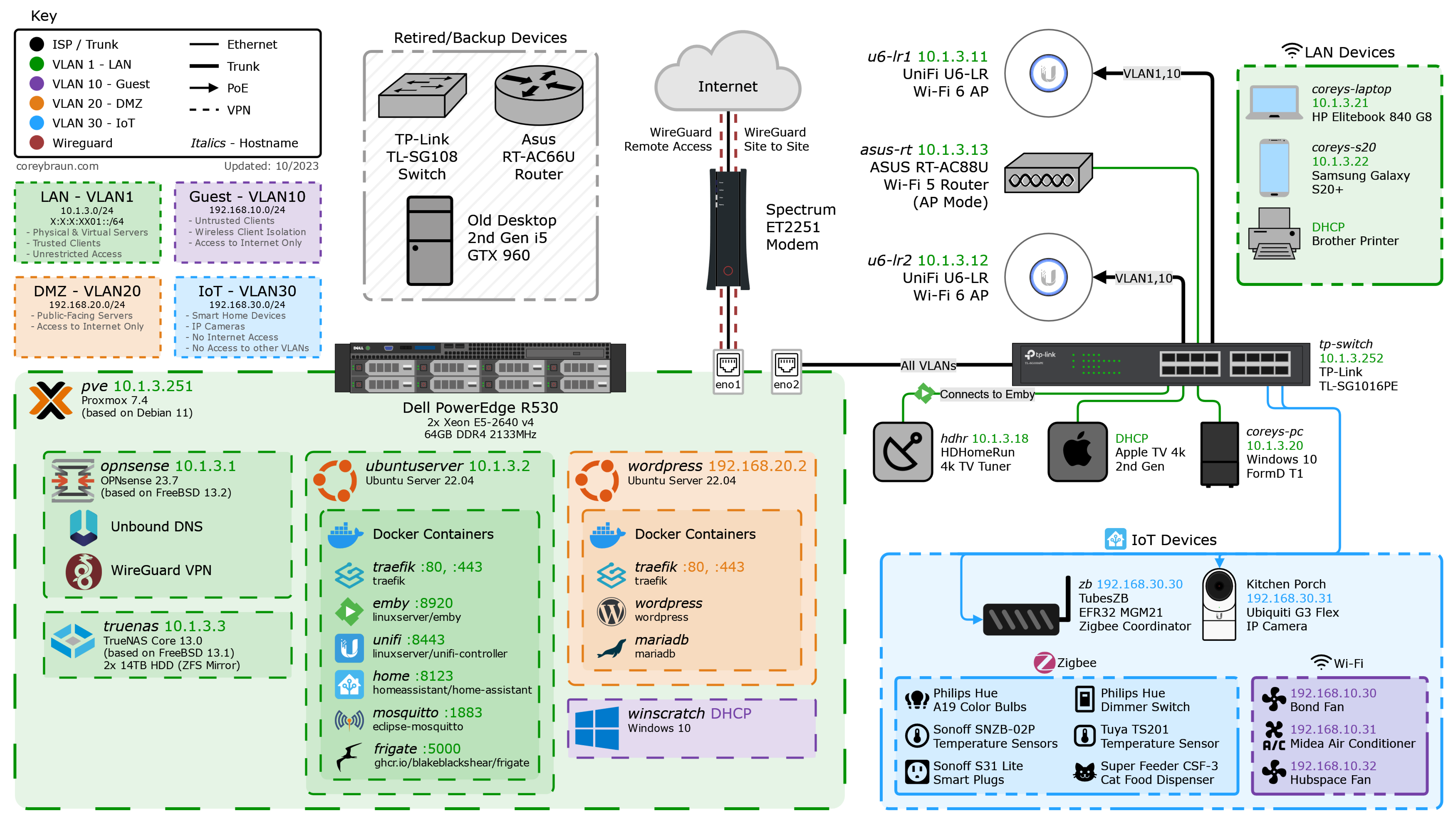
(End-to-end views: From internet to devices/servers — notice modem/router/firewall/load balancer positions)
Why This Matters for Software Engineers
Debugging: "Site slow" → could be DNS, modem, router congestion, firewall rules, or load balancer misconfig.
Deployment: AWS VPCs mimic this (Internet Gateway = modem/router, Security Groups = firewall, ALB = load balancer).
Scalability: Load balancers + auto-scaling = handle traffic spikes without code changes.
Security: Firewalls and proper placement prevent breaches.
Next time you deploy a backend or debug a connection, think about the hardware path your packets take!
Happy coding, cohort! 🚀
Which device do you think is most critical for modern web apps? Comment below! 😄
